

Android
GGPoker on Android: APK install, updates and fixes
Real-money poker apps are not listed on Google Play in most countries, so the room ships its Android client as an APK from its own site. That is the standard route, not a workaround - and it is also where fakes live. Here is how to install safely.
Download the APK only from the room's site or an official mirror, allow your browser to install apps in Android settings, install and sign in with GGPass. The client checks for updates itself on launch. After installing, the app properties show the room as publisher - fakes show someone else.
Where the APK comes from and how to check it
The only reliable source is the room\'s download page and its official mirrors; the file is signed with the developer\'s key. An APK from a third-party catalogue, a messenger channel or an ad link may be repackaged: the same client plus code that reads your data. If you already installed one from a doubtful source, remove it and reinstall from the room\'s site - the account and history live on the server.
Open the room's site on the phone
If the main address is blocked in your region, use an official mirror. A VPN is fine for downloading and not fine for playing.
Download the APK from the Android section
The browser warns that the file may be harmful - the standard message for any APK outside the store.
Allow installs from this source
Settings - Apps - Special access - Install unknown apps - pick your browser and enable.
Install and sign in
Open the file, confirm, launch the client and sign in or register through the partner button.
Package parse error
The "problem parsing the package" message means the file downloaded incompletely or was corrupted, or the Android version is too old for the build. Download again over Wi-Fi and compare the size with the one shown on the download page. If it persists on an old phone, update the system; the room does not publish a minimum Android version, but devices no longer receiving updates may refuse the client.
What the mobile client can do
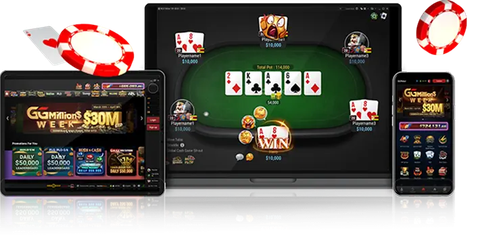
Every format: cash, Rush & Cash, All-In or Fold, Spin & Gold, tournaments. Cashier, verification and stats work on the phone as on desktop. The one limit is table count - one or two are comfortable, which is normal for Rush & Cash. Broader mobile advice: real-money poker apps.
Keep reading
GGPoker on iPhone
How to install GGPoker on iPhone and iPad: profile-based install through Safari, trusting the developer in settings, the integrity check error and why the app sometimes stops opening.
Download
How to download GGPoker for desktop and mobile: the official Windows installer, instructions for macOS, Android and iOS, system requirements and how to spot a fake installer.
Poker apps
Poker apps for real money: how mobile clients differ from desktop, which formats suit a phone, installing apps outside the stores, keeping cashier and account safe, and why the GGPoker client is our pick.
Login
GGPoker login explained: where the account area is, how GGPass sign-in and verification codes work, what causes the 60-minute lock and what to do when codes stop arriving.
One account for every device
Create a GGPass through the partner link - the deposit bonus and freeroll tickets are credited wherever you play.