

The client
GGPoker download: the client for desktop and phone
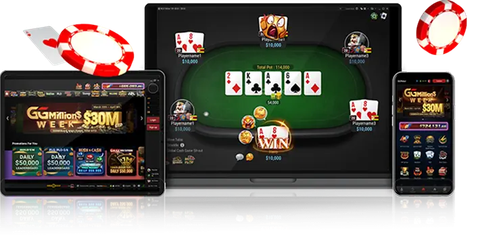
GGPoker runs only in an installed app - there is no browser version. Below is the official Windows installer plus guides for macOS, Android and iOS. One GGPass works everywhere: start a session on the desktop and finish it on the phone.
- 2.6 MBWindows installer
- NSUS Ltd.file publisher
- Windows, macOS, Android, iOSplatforms
- nonebrowser play
Procedure
How to download GGPoker without landing on a fake
The Windows installer on this site is the room\'s official file: publisher NSUS Ltd. in the file properties, size 2.6 MB. It is a bootstrapper - once launched it fetches the current build itself, so there is no need to hunt for a "latest version" on third-party sites. Any GGPoker installer weighing hundreds of megabytes from a file-sharing host is a red flag.
Run the file, let it download the build, pick a folder. On first launch the client asks you to sign in or create a GGPass. If you have no account yet, register through the partner button on this page: partner promotions attach automatically and no promo code is needed.
Download the installer
The button delivers Installer_GGPoker_en.msi straight from this site.
Run it and wait
The bootstrapper pulls the current build from the network servers.
Sign in or create a GGPass
Email, password, country. Partner attribution is set at registration.
Verify your documents
Not required immediately, but before the first withdrawal. Usually 24 hours.
Where it runs
Client versions by device
GGPoker on Android
Install from the APK on the room's site, allow unknown sources, keep it updated and fix the parse error.
GGPoker on iPhone and iPad
Install outside the App Store through a profile, trust the developer, and what to do when the app will not open.
Real-money poker apps
Which formats suit a phone, where to get apps safely and how to protect the account on mobile.
macOS gets its own installer on the room\'s site and mirrors; the routine is the same as on Windows. Chromebooks and Linux are not supported.
To keep it smooth
System and connection requirements
On desktop the client targets Windows 10 or 11; Windows 7 or 8.1 are not officially supported and are where update errors usually appear. Hardware matters less than the connection: the room calls ping under 500 ms comfortable, while around 1,000 ms tables start desyncing and dropping you. If the table image breaks into blocks or the lobby hangs, the first fix from the room\'s help centre is switching DNS to 8.8.8.8 and restarting.
Network rules are explicit: money already in the pot stays in play if your connection drops mid-hand. The client gives a short reconnect window, but the real protection is a stable connection, not a mobile signal on a moving train.
- under 500 mscomfortable ping
- from 1,000 msproblem ping
- Windows 10 or 11Windows
- 8.8.8.8DNS fix
Keep reading
Registration
GGPoker registration step by step: creating a GGPass, choosing country and currency, why a partner link beats a promo code, what is credited immediately and what to check before the first deposit.
Login
GGPoker login explained: where the account area is, how GGPass sign-in and verification codes work, what causes the 60-minute lock and what to do when codes stop arriving.
VPN
GGPoker and VPNs: downloading through a VPN is fine, playing through one is banned by network rules. How the security system detects a spoofed country, what to do when travelling and how to play without a VPN.
Poker apps
Poker apps for real money: how mobile clients differ from desktop, which formats suit a phone, installing apps outside the stores, keeping cashier and account safe, and why the GGPoker client is our pick.
The installer is right here
Download the Windows client from this page or open an account through the partner link - the account works on every device.